
Invite a member
Only an admin can invite someone. Open Settings, then Members.
Inviting a member. Captions are on the picture. There is no voiceover and no music.
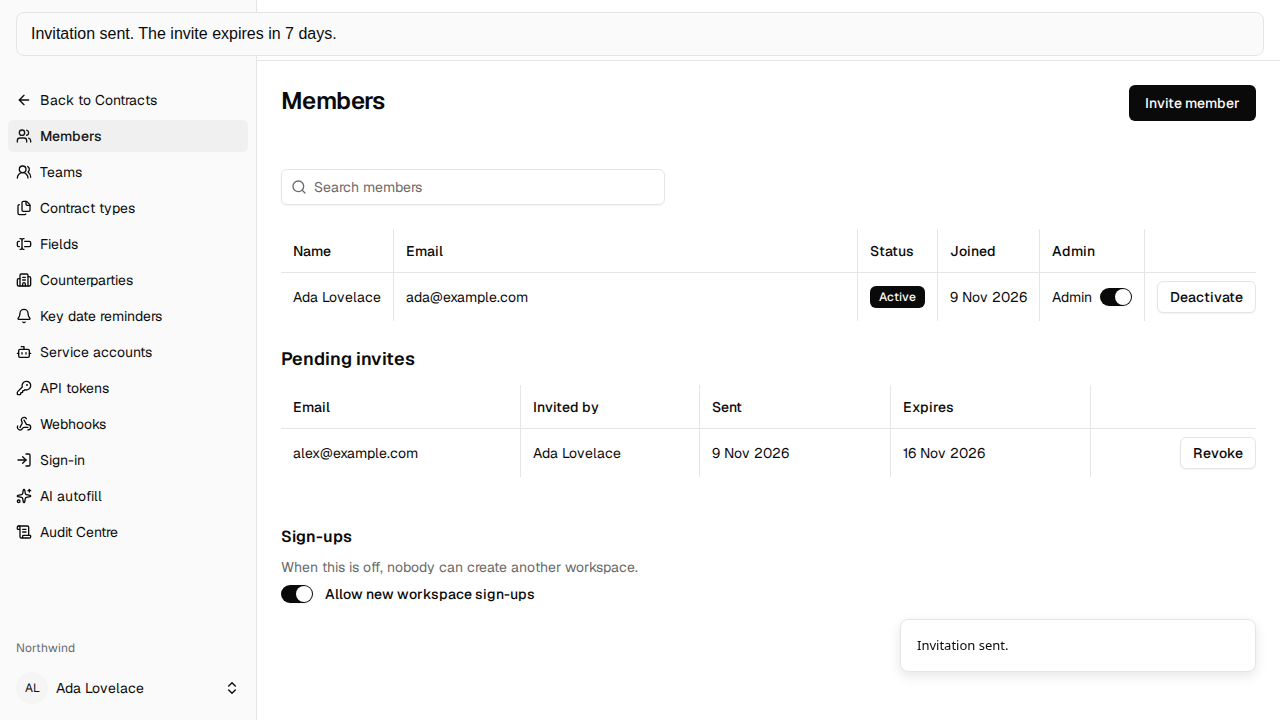
Transcript: Members is where an admin invites someone by email. Enter the address. Send invite stores the invite and sends the message. Invitation sent. The invite expires in 7 days.
Send an invite
Section titled “Send an invite”- Choose Invite member.
- Enter Email.
- Choose Send invite.
The dialog title is Invite member. It says “Send an invite to an email address. It expires in 7 days.” Cancel closes it without sending. Success shows “Invitation sent.” The email subject is “Join a Crimple workspace”.
Pending invites lists addresses that are still waiting: who sent the invite, when it was sent, and when it expires. No pending invites. means the list is empty. Revoke asks “Revoke the invite to” that address. Revoke invite deletes it and shows “Invite revoked.” The old link then says “This invite link is not valid.”
“Invite not sent.” means the email was not sent. Nothing is stored. Send it again when mail can be sent. “That person is already a member.” includes a deactivated member. An address that already belongs to another workspace still gets the invite email. They cannot accept it until they are removed from that other workspace. The toast does not say which workspace.
Accept an invite
Section titled “Accept an invite”- Open the link. The page title is Accept invite.
- If you are not signed in, the page says “Sign in or create an account to accept this invite.” Choose Sign in with your company, Sign in, or Create account.
- Finish sign-in, or create the account and open Verify your Crimple email.
- Choose Accept invite for the password path. Sign in with your company is also on that page after you are signed in. It uses this invite with company sign-in.
Sign in and Create account bring you back here. You do not stop on Create workspace. Creating an account from an invite does not create a workspace, and Allow new workspace sign-ups being off does not block this path.
Sign in with your company on this page uses the invite. It can complete the invite when company sign-in is turned on for an OIDC provider, the address from the company matches the invited address, and that domain is verified and still fresh. The invite is the proof of the mailbox. A new account from that path has no password, and the name is Member. A removed membership is restored. A person who already belongs to a workspace is refused, and nothing else is written. A company code by itself does not create an account. Just-in-time membership is not built. Password and email sign-in stay available, and company sign-in is not required. After a later visit, the same person can use the company code on Sign in.
Success says “You’re in the workspace.” Go to Members is for an admin. Go to Contracts is for anyone else. The invited address has to be verified, and it has to be the address you are signed in with.
An invite lasts 7 days, works once, and only for that email and that workspace. “You already belong to a workspace.” means the signed-in person already has a membership. More of these sentences are on Troubleshooting.