
Filters
Add filter opens a searchable list. Built-in fields are under System fields. Fields you created are under Custom fields. Search filters is focused when the list opens. Escape clears that search when it has text, and closes the list when it is empty.
Choosing a field adds one pill and opens its editor. A field that already has a pill opens the existing pill. The grid updates as soon as the value is set. Text waits a moment. Closing an editor with no value removes the pill. Several filters can be on at once. The address keeps them, and a saved view keeps the same list.
Each pill reads like “Status: Live, Expired” or “Expiry date: before 31 Dec 2026”. The remove control is named “Remove filter {label}”. Clear all removes the pills and leaves the search text. Clear filters on an empty result does the same. The pills wrap, including on a narrow screen. While contracts are selected, the selection bar replaces that row.
Filtering the grid. The same clip also opens Columns, selects a row, and saves a view. Captions are on the picture. There is no voiceover and no music.
Transcript: Add filter, then Contract type, then NDA. The grid keeps the matching contract. The filter stays as a pill. Oak services is hidden. Columns lists System fields and Custom fields. Select a row to assign an owner or change status for every selected contract. Save view keeps this filter under a name on the Views menu.
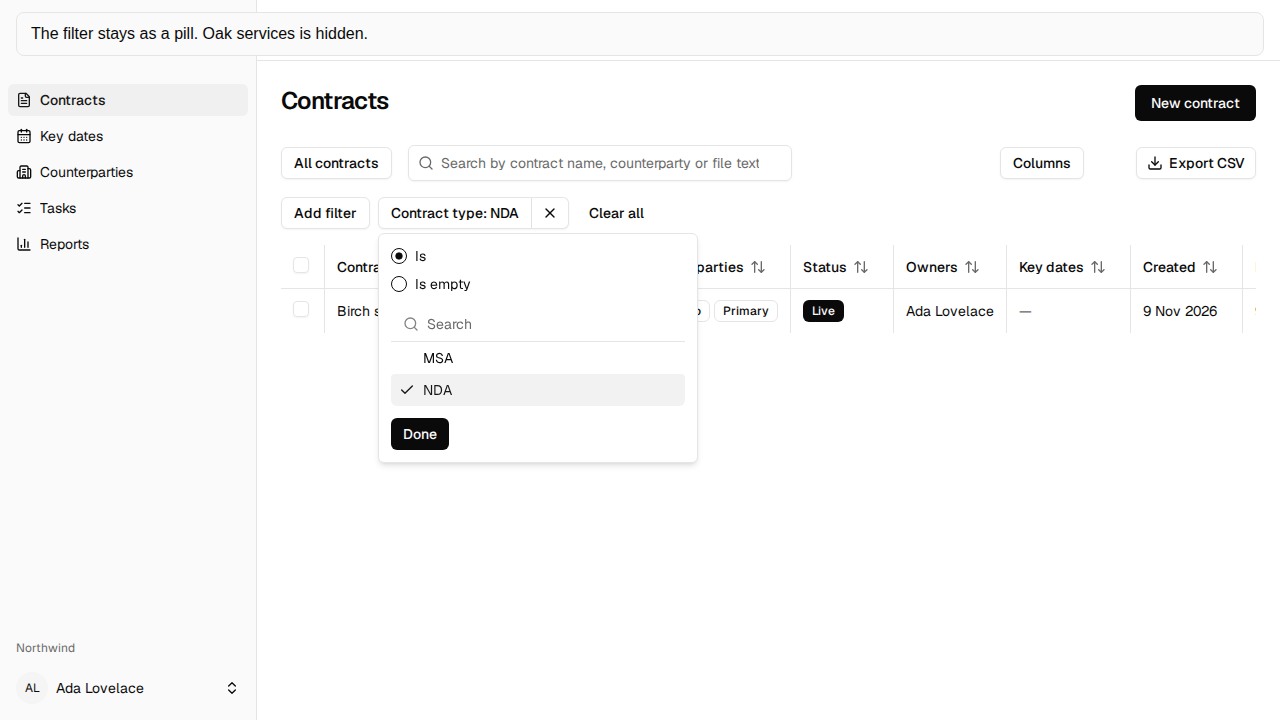
Multi-select pills
Section titled “Multi-select pills”Status, Contract type, Owner, Team, and Counterparties are checklists. A checklist can include more than one value. Status is Live, Expired, or Cancelled. A custom dropdown, multi-select, or user field is a checklist too. One dropdown or user value stays a single match. One multi-select value stays one option.
Other operators
Section titled “Other operators”Contract name, Our entity, and External reference match text that contains what you type. Expiry date, Effective date, Signed date, Created, and Last modified are Before, After, or Between. Before and after leave out the named day. Between includes both dates. A custom date uses the same three.
No fixed end date and Auto-renews are Yes, No, Is empty, or Is not empty. No matches only an explicit no. Is empty matches a value that was never saved. A custom Boolean field uses the same four choices.
Renewal term (months) is Is, Greater than, Less than, At least, At most, or Between. Notice period is an amount and Days or Months. Contract value is an amount and a currency, or Currency for the code alone, or Is empty. Text, dates, numbers, contract type, owner, team, and notice period also have Is empty.
A range whose first value is after the second says “From is after To.” or “The first number is greater than the second.” and is not applied.
Show archived
Section titled “Show archived”Archived contracts stay hidden until you choose Show archived from Add filter and then Yes. Choosing No, or closing the editor without Yes, leaves them hidden. Turning it on does not show a contract you cannot open.