
Key dates
Key dates is in the sidebar after Contracts. It shows dates on contracts you can open. A contract you cannot open does not contribute a date.
Key dates. Captions are on the picture. There is no voiceover and no music.
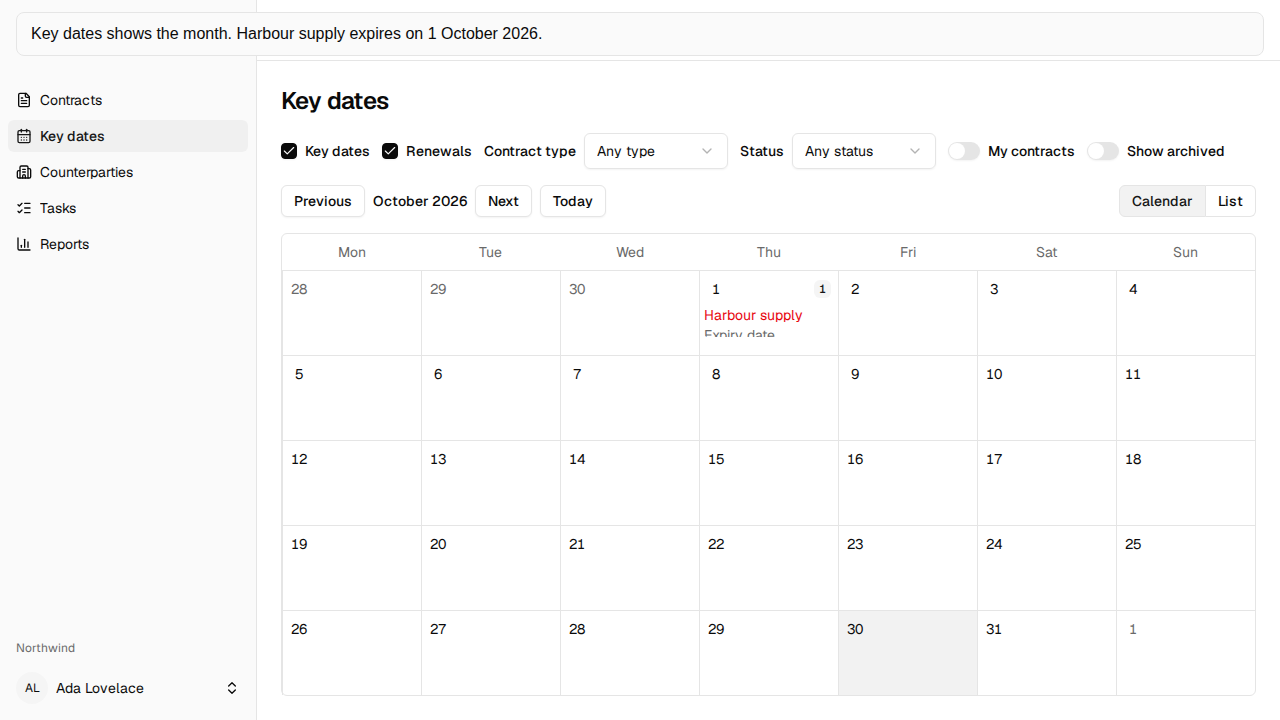
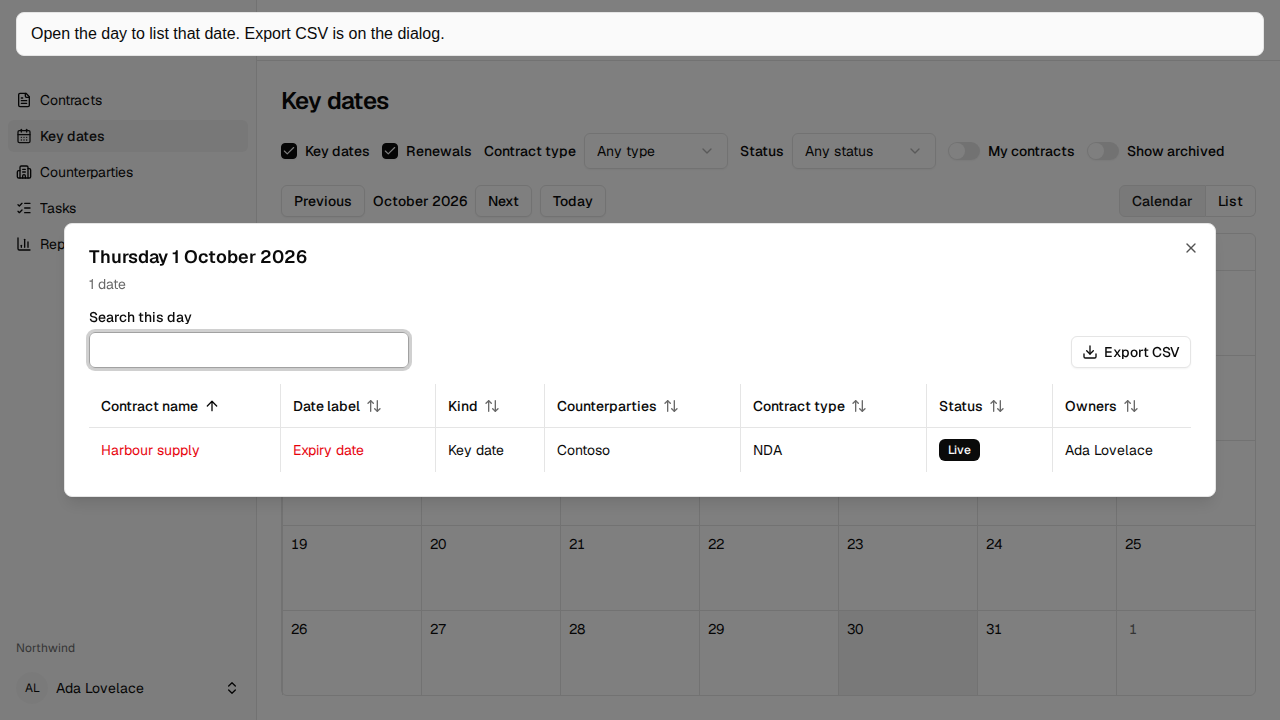
Transcript: Key dates shows the month. Harbour supply expires on 1 October 2026. Open the day to list that date. Export CSV is on the dialog.
The toolbar
Section titled “The toolbar”Key dates and Renewals start selected. Clearing both says “Select Key dates or Renewals.” and does not load dates.
A renewal is the Expiry date or the calculated Notice deadline of a contract that auto-renews. Every other date is a key date, including those two dates when the contract does not auto-renew.
Narrow the page with Contract type, Status, My contracts, or Show archived. My contracts keeps contracts you own. Archived contracts stay hidden until Show archived is on.
Calendar and List are the two views. A missing choice is Calendar at 640px and wider, and List below that. Choosing one keeps that choice. The address remembers the month, the view, the filters, and an open day.
Calendar
Section titled “Calendar”Previous, Next, and Today move the month. The week starts on Monday. The month includes the days from neighbouring months that fill the weeks. Today is highlighted. A date before today uses the destructive colour. Today is not past.
A cell shows the entries that fit, then +N more. A badge shows the day’s count, such as 47 dates, including entries that are not drawn. The day number, the badge, and +N more open the dialog for that day. Choosing a contract name in the cell opens that contract.
An empty month says “No dates in this month.”
The day dialog
Section titled “The day dialog”The address keeps day as YYYY-MM-DD, so a reload opens it again. Esc and close return focus to that day.
The dialog is the contracts grid’s table, sort, and pager, with quick search and Export CSV. The columns are Contract name, Date label, Kind, Counterparties, Contract type, Status, and Owners. It uses the same filters as the page. Export CSV downloads every entry for that day that matches the filters and the search, not only the page on screen, and records Key dates exported. Choosing a contract name, or the row, opens that contract.
List shows dates from today through the next 365 days, grouped by month. It shows the contract name, the counterparties, the date’s label, the date, and the status. An empty list says “No upcoming dates.”
If the dates cannot be loaded, the page says “Crimple couldn’t load key dates. Check your connection, then refresh the page.”
The same dates also appear on the contract’s Key dates list, which can mark Due soon. This page does not. Reminders use the lead days on Key date reminders and your choices on Profile.